


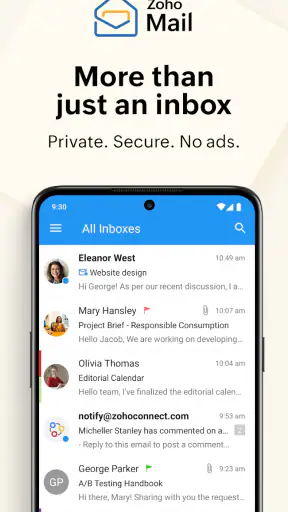
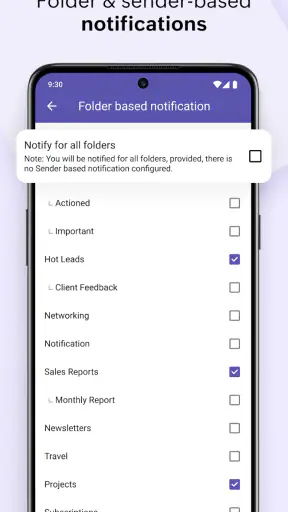
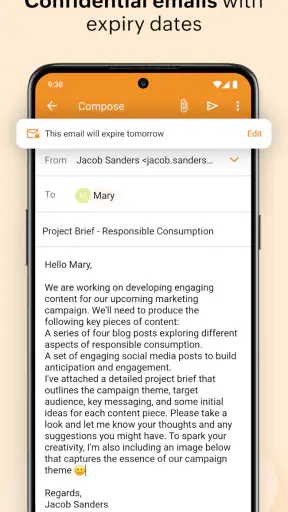
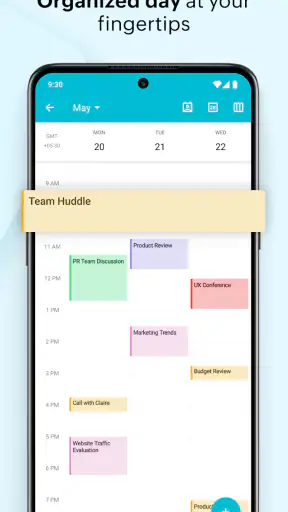
I came away from Zoho Mail thinking of it less as another inbox and more as a compact communication workspace for people who want email, calendar, contacts, and files close together. That focus matters because many mobile mail apps are excellent at reading messages but leave the rest of the day scattered across separate tools. Zoho Corporation takes a different route here: the app is built for staying on top of correspondence while keeping the information connected to the tasks that usually follow it.
This is a free communication app for Android, rated for Everyone. It has been available since August 25, 2014, and its current version is 3.6.3. With a 4.5 average from around 74 thousand ratings and more than 5 million installs, it has clearly attracted a substantial audience without feeling like a niche experiment. I tested it with a practical question in mind: does bringing mail and related personal information together actually make everyday communication easier?
One mobile workspace instead of four separate stops
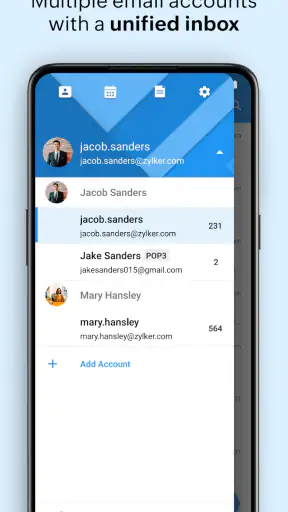
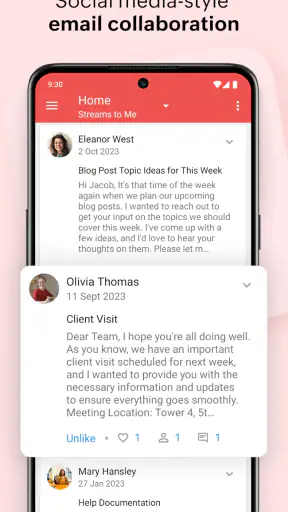
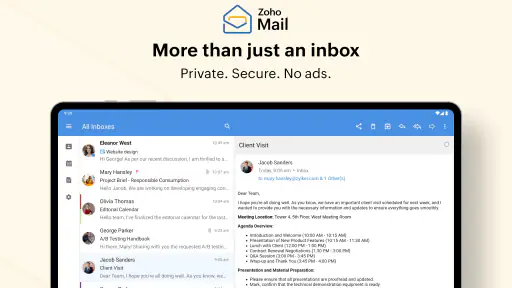
The most important capability is the way Zoho Mail puts email, calendar, contacts, and files in the same mobile environment. That sounds straightforward, but the real benefit appears after an email stops being “just an email.” A message may require a meeting, a contact lookup, or a document check. In a conventional setup, I would jump between an inbox, a calendar app, a contacts app, and a file manager. Here, those related jobs are much closer together.
I found this especially useful when handling messages that contain several small decisions. If someone sends a proposed appointment, I can move from reading the message to checking my schedule without mentally changing tools. If a sender is unfamiliar, contact information is not treated as a completely separate task. When an attachment matters later, the file side of the app gives the message more lasting value than a simple notification that disappears into an inbox.
The advantage is not that every action becomes automatic. The advantage is less context switching. I spend less time remembering which app contains a particular detail and more time deciding what to do with the message itself. For someone who receives work-related mail, family arrangements, documents, and reminders in the same day, that small reduction in friction can add up.
There is also a useful difference between an app that merely displays mail and one that treats communication as part of a wider routine. Zoho Mail is aimed at the second idea. Its store summary mentions email, calendar, contacts, and files on the move, but in practice the meaningful point is how those categories support one another. The inbox is the starting point, not the entire destination.
What this changes during a normal day
Imagine receiving a message in the morning about a service appointment. I can read the details, check the date against my calendar, and keep the sender’s information available for later contact. If the message includes a document, I do not have to treat that attachment as an isolated download before I can use it. The workflow is simple, but it reflects how people actually deal with messages: email often creates a follow-up action.
Another realistic example is a small team member working from a phone. A client sends a question, a colleague has already shared a related file, and a meeting needs to be arranged before the reply goes out. A basic inbox can handle the first part, but the combined approach is more comfortable for the whole sequence. I can review the conversation, locate supporting material, and think about timing without constantly leaving the communication space.
This does not mean the app replaces every specialist tool. A dedicated calendar may still be preferable for someone who manages a complicated schedule, while a full file-management service may be stronger for deep organization. Zoho Mail’s strength is the handoff between these activities. It is most convincing when I need a connected overview rather than the most advanced version of one isolated function.
Small workflows that make the combination worthwhile
One of my favorite ways to use this type of setup is to treat messages as starting points for decisions. Instead of reading an email and leaving it mentally unresolved, I immediately ask whether it belongs to my calendar, contacts, or files. That habit turns the app into a lightweight triage tool. The important insight is that the value comes partly from how I organize my response, not only from the interface.
A second useful workflow is keeping reference material near the conversation that explains it. When a file is connected to an email thread, I am less likely to forget why I saved it. This is particularly helpful for receipts, instructions, event details, or documents that may be needed again after several days. I would still keep a more formal archive for important records, but the app makes short-term retrieval feel more natural.
A third benefit appears when contact details change or when a conversation involves several people. Having contacts available alongside mail reduces the need to copy addresses manually or search through unrelated parts of the phone. That may sound minor, yet manual copying is exactly the kind of repetitive action that causes mistakes on a small screen. I prefer a workflow where the message remains the source of context.
Where it fits best, and where it asks for patience
The strongest scenario is mobile communication with follow-up attached
I would recommend Zoho Mail first to someone who handles communication away from a desk and regularly needs to do more than answer messages. A freelancer coordinating appointments, a student managing event details, or a small-business owner keeping track of customer conversations can all benefit from the connected design. The app is particularly sensible when the phone is the main device rather than a secondary screen used only for notifications.
It also suits people who dislike maintaining several disconnected apps for related information. The appeal is not limited to heavy email users. Even a moderate inbox becomes easier to manage when calendar plans, contact details, and files are part of the same routine. I found that the app feels most useful when I open it with a purpose: check a message, verify a detail, save what matters, and move on.
For a family organizer, the same structure can help with travel confirmations, school messages, appointment details, and shared documents. The app does not need to be treated as a complex productivity system. It works well as a central place for communication that produces practical next steps. That is a more grounded use case than expecting it to transform every part of personal organization.
The trade-off is breadth over specialization
The connected design also creates the main limitation. When one app covers several communication-related jobs, no single area necessarily feels as deep as a dedicated alternative. Someone who wants an exceptionally advanced calendar experience may prefer a specialist calendar application. Someone who lives inside a large, highly customized file workflow may want a dedicated storage service. A user who only needs a very simple inbox may see the extra categories as unnecessary.
I also think the app asks users to develop their own organization habits. Having mail, contacts, calendar, and files nearby does not automatically create order. If I leave every message unresolved, the combined workspace can still become cluttered. The best results come from deciding what deserves a calendar entry, what belongs with a contact, and what should be retained as a file. That is a manageable trade-off, but it is worth understanding before switching.
Compared with a usual standalone email client, Zoho Mail feels more intentional about the moments after reading. Compared with a complete productivity suite, it feels more focused on communication rather than trying to become an all-purpose project system. I see that middle position as its identity. It is not the obvious choice for someone seeking maximum depth in one category, but it is a strong option for someone who wants related information close at hand.
Questions I would ask before installing it
One practical question is whether it is suitable for a shared household or a small working arrangement. In my view, it can be useful when the main need is keeping messages and their follow-up details accessible from a phone. It is less suitable if the group needs a full project-management environment with elaborate task ownership and reporting. The app’s value is strongest in communication-centered routines.
Another question is whether the free price makes it worth trying. Yes, especially if the main problem is switching between mail and related information. Since there is no purchase cost to get started, I would test it with the kinds of messages I actually receive rather than judging it from a few promotional examples. A week of handling appointments, attachments, and contact lookups should reveal whether the connected approach saves time.
Users may also wonder whether an older phone can run it. The listed minimum operating system is Android 6.0, so the app is accessible to many Android users, although the experience will naturally depend on the device. I would pay attention to how comfortably the phone handles switching between the app’s areas and how quickly I can find information. The current release, version 3.6.3, is the one I would evaluate rather than relying on impressions from much older versions.
Finally, should someone replace an existing mail app immediately? I would not do that automatically. If a current setup already handles email, appointments, contacts, and documents smoothly, changing tools may create more work than it removes. Zoho Mail becomes compelling when those pieces currently feel fragmented. In that situation, its integrated approach addresses a real problem instead of adding another app to an already crowded phone.
Who gains the most from this design
The biggest winners are people who read messages while moving between places and need to act on them immediately. They are not necessarily email enthusiasts. They are people whose emails contain dates, names, documents, and decisions. For them, the app’s central idea is practical: keep the surrounding information close enough that a reply does not require a chain of unrelated searches.
I would also point it toward users who want a calmer alternative to a collection of disconnected tools. The app does not remove the need for judgment, but it can make the path from message to action more direct. That is a meaningful benefit for anyone who often says, “I saw the email, but I forgot to put it on my calendar,” or “I know the file is somewhere, but I cannot remember where.”
On the other hand, I would steer away users who want only the bare minimum inbox or who depend on highly specialized software for scheduling and document management. They may find the broader workspace unnecessary. Zoho Mail is at its best when its extra areas are used together, not when they are ignored.
My final impression is favorable because the app solves a specific everyday annoyance rather than promising to reorganize my entire life. The combination of mail with calendar, contacts, and files makes communication feel more connected, particularly on a phone. It is free, rated for Everyone, and developed by Zoho Corporation, with a strong user response reflected in its 4.5 average and broad adoption. If your inbox regularly creates appointments, contact tasks, or files to remember, this is a sensible app to try. I would not call it the perfect replacement for every specialist tool, but for mobile-first communication, its central capability is genuinely useful and easy to understand.


